How Do I Set Up Online Banking in Serbia?
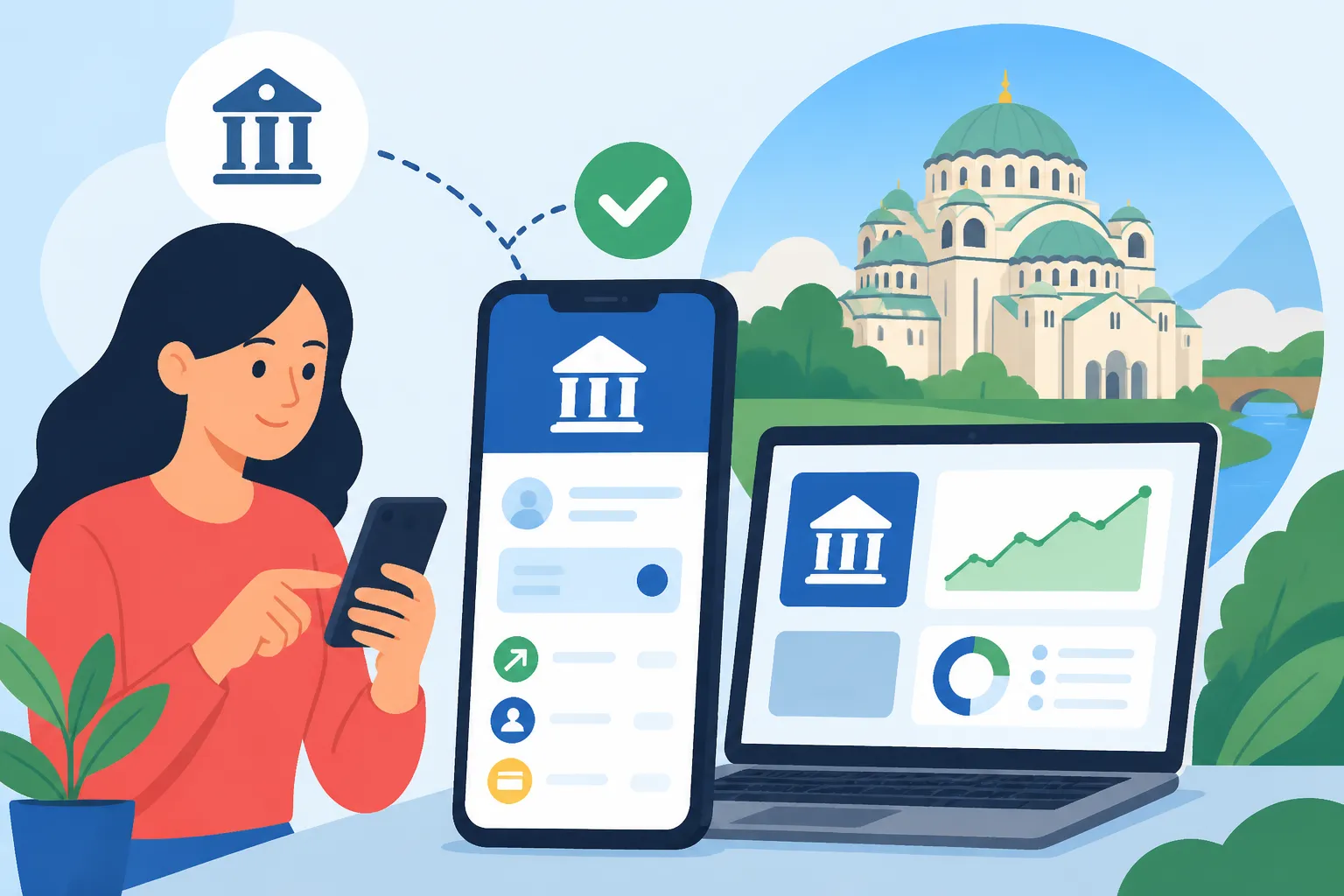
Ah, the joys and occasional headaches of getting your financial life sorted in a new country! It's one thing to open a bank account in Serbia, which can be an adventure in itself, but then comes the often-overlooked step: actually setting up and effectively using online banking. Many expats find themselves stuck trying to pay bills, transfer money, or simply check their balance efficiently, only to discover the digital portals aren't always intuitive for newcomers. This guide is here to walk you through the entire process, from understanding why online banking is so critical here to navigating the platforms, ensuring you can manage your money with confidence and ease.
Why Online Banking is Absolutely Essential in Serbia
When you first arrive in Serbia, you might think dealing with cash or traditional branch visits will suffice. And for some things, they will. But trust me, you'll quickly discover that having robust online banking capabilities is not just a convenience; it's practically a necessity for living a smooth, modern life here.
Beyond Just Checking Balances
Sure, seeing your account balance at a glance is handy, but online banking in Serbia offers so much more. Imagine needing to pay a utility bill, which usually has about three different payment codes (model, reference number, purpose of payment) that you can easily mistype if you're not careful. Doing this at a post office or bank branch means waiting in line, sometimes for a considerable amount of time, just to hand over a slip of paper. With online banking, you can meticulously enter those details from the comfort of your home, double-check everything, and hit send. It saves time, energy, and a whole lot of potential frustration. Plus, for those moments when you're trying to figure out your tax obligations, especially if you're dealing with foreign income or consulting services like Taxes for Expats, having a clear digital record of all transactions is invaluable.
The Convenience Factor in Daily Serbian Life
Think about everyday scenarios. You’ve just finished grocery shopping at Maxi or Idea, and suddenly remember you need to transfer money to a friend for that shared dinner last night. Or perhaps your landlord is asking for rent, and you'd prefer to send it directly rather than withdrawing cash from an ATM. Online banking makes these routine financial tasks effortless. You can make instant payments to other Serbian bank accounts, set up recurring payments for rent or subscriptions, and generally keep a much tighter grip on your finances without having to physically visit a branch. For anyone who's ever lived through the joy of Belgrade rush hour, the thought of avoiding a trip to the bank is a minor miracle. You’ll also find that many local services and smaller businesses are increasingly accepting online transfers, which is far more common than card payments in some instances.
The Initial Hurdle: Opening a Bank Account
Before you can even think about online banking, you absolutely need to have a Serbian bank account. This is where many expats hit their first bureaucratic wall, so don't feel alone if it takes a bit of back and forth. The process has become more streamlined in recent years, but it still requires diligence. Our detailed guide, The Expat Guide to Opening a Bank Account in Serbia, goes deep into this.
Choosing the Right Serbian Bank
Serbia has a good selection of banks, many of which are international names you might recognize, making the choice a little less daunting. For expats, popular choices often include Banca Intesa, Raiffeisen Bank, OTP Bank, or Eurobank Direktna. Each has its quirks and benefits. Banca Intesa, for instance, has a very widespread branch network and generally offers reliable online banking services. Raiffeisen is often praised for its English-speaking staff and expat-friendly approach, which can be a huge relief when you’re wrestling with new terminology. OTP Bank has also made significant strides in its digital offerings. When you're making your choice, think about factors beyond just online banking: what are their fees for foreign currency accounts? Do they have an ATM network convenient for you? For more detailed insights, you might want to read How to Choose the Best Bank for Expats in Serbia.
Documents You'll Absolutely Need
Getting your foot in the door to open the account itself is the biggest hurdle. You'll typically need:
- Passport: Your valid foreign passport.
- White Card (Beli Karton): This is your address registration slip. You get this when you first arrive or when you change your registered address.
- Residence Permit (Boravišna Dozvola): If you're staying long-term, this is crucial. Banks need to confirm your legal residency status.
- Tax Identification Number (TIN/PIB): For some banks and certain types of accounts, particularly if you’re self-employed, a Serbian PIB might be required. Our guide on How to Get a Tax ID (PIB) as a Foreigner in Serbia can help you with this.
- Proof of Income/Funds: This can be a tricky one. Banks are legally obliged to ask for proof of the origin of your funds to combat money laundering. This might mean showing employment contracts, bank statements from your home country, or explaining the source of your initial deposit. Don't be surprised if they ask for multiple documents; it's standard procedure.
- Purpose of Opening Account: Be prepared to explain why you need an account. "To pay bills and receive salary" is usually sufficient.
It's a good idea to bring originals and several photocopies of everything. Sometimes, even with all your documents in hand, you might encounter a bank employee who is unfamiliar with expat procedures, but persistence usually pays off. Once you've successfully navigated this, you're ready for the next step.
Step-by-Step Guide to Setting Up Online Banking
So, you’ve got your shiny new bank card and maybe even a foreign currency account. Excellent! Now let’s get you hooked up to the digital world. The process is generally quite similar across most Serbian banks, though the exact jargon and app interfaces will differ.
In-Branch Activation: Your First Stop
Unlike some countries where you can fully set up online banking from your couch, in Serbia, you almost always need to initiate the process at your chosen bank branch. When you open your account, explicitly tell the bank representative that you want to activate online banking (often called "e-banking" or "mobilno bankarstvo" for mobile banking) and, if available, mobile banking.
Here's what usually happens:
- Signing Contracts: You’ll sign additional agreements for online and mobile banking services. Read these carefully, especially regarding fees (some banks charge a small monthly fee for these services, while others include it free with certain packages).
- Security Device: Many Serbian banks still issue a physical "token" device, or a mobile app-based token, for generating one-time passwords (OTPs) to authorize transactions. This is a common security measure here. If it's a physical token, you'll be given instructions on how to use it. If it's an app-based token, they'll usually guide you to download their specific mobile banking app and set up the token function within it. Don't leave the bank without understanding how your specific security method works!
- Initial Passwords/Usernames: You’ll often be given a temporary username and password, either printed, sent via SMS, or provided in a sealed envelope. Keep these safe!
Make sure you ask if there's an English version of their online portal or app. Many international banks operating here, like Raiffeisen, Banca Intesa, and OTP, offer this, but it’s always good to confirm.
Receiving Your Credentials
Once you’ve signed the paperwork and potentially received your token, the bank will process your request. This isn't always instant. Sometimes, you'll receive your actual login credentials (permanent username, initial password, or activation code) via email or SMS within a few hours to a day or two. In other cases, they might mail a physical letter with these details to your registered address.
This waiting period can be a bit nerve-wracking, especially if you're eager to get started. My advice? Don't stress if it's not immediate. Serbian bureaucracy often moves at its own pace. If you haven't heard anything after a couple of business days, a polite call to the branch (or better yet, a visit if it's convenient) can help nudge things along. Remember, patience is a virtue here.
First-Time Login and Security Setup
Once you have your credentials in hand, it's time for the big moment: your first login!
- Access the Portal/App: Go to the bank's official website and look for the "e-banking" or "online banking" login link, or open their dedicated mobile banking application.
- Enter Temporary Credentials: Use the username and temporary password provided by the bank.
- Change Password: The system will almost certainly prompt you to change your temporary password to a new, strong, and memorable one. This is crucial for your security. Make it a good one, with a mix of uppercase and lowercase letters, numbers, and symbols.
- Activate Token (if applicable): If you received a physical token or need to activate the in-app token, follow the on-screen instructions. This usually involves entering a code from the device/app into the online portal to link it to your account.
- Review Security Settings: Take a moment to explore the security settings. Some banks allow you to set up additional security questions, SMS notifications for transactions, or even adjust transaction limits. This is also a good time to confirm your contact details are correct.
Congratulations, you're in! You've officially entered the world of Serbian online banking.
Navigating Serbian Online Banking Platforms
Now that you're in, let's talk about what you'll find and how to make the most of it. The interfaces can sometimes feel a bit dated or cluttered compared to what you might be used to in Western Europe or North America, but they are generally functional and reliable once you get the hang of them.
Common Features You'll Use
Every bank's interface will vary, but here are the core functionalities you can expect to find and will use regularly:
- Account Overview: This is usually the first screen you see, displaying all your accounts (Dinar, foreign currency), their balances, and recent transaction history. Our guide Understanding the Dinar (RSD) and Foreign Currency Accounts in Serbia elaborates on why multiple accounts are common.
- Payments (Plaćanja): This is where you’ll make most of your transfers. You can typically choose between:
- Internal Transfers: Moving money between your own accounts or to another account within the same bank.
- External Transfers: Sending money to another bank account in Serbia. You'll need the recipient's name, their bank account number (IBAN format, but often referred to as just "broj računa"), and the payment purpose.
- Utility Payments: Some banks have integrated templates for common utilities (electricity, water, heating, phone bills) where you just enter your customer ID and the amount, making it much easier. Look for "E-računi" or similar options.
- Order History (Pregled Naloga/Istorija Transakcija): This section allows you to review all your past transactions, filter them by date or type, and often download statements in PDF format – incredibly useful for tax season or for checking your spending habits.
- Standing Orders/Scheduled Payments (Trajni Nalozi/Periodična Plaćanja): For recurring payments like rent, you can set up standing orders so the bank automatically transfers the money on a specific date.
- Foreign Currency Exchange (Menjačnica): Many banks allow you to exchange Dinars to Euros or other major currencies within your linked foreign currency accounts, often at better rates than physical exchange offices, though less competitive than dedicated platforms like Wise.
- Card Management: You might be able to temporarily block a lost card, change limits, or view transaction details for your debit/credit cards.
Language Barriers and How to Overcome Them
If you're not fluent in Serbian, the language can be the biggest hurdle. While some international banks offer English interfaces for their online banking, many domestic ones, or certain features, might still be primarily in Serbian.
Here are a few tips:
- Use the Translate Function: Most web browsers have a built-in translate feature (e.g., Google Translate in Chrome). While not perfect, it can give you the gist of what buttons and fields mean.
- Familiarize Yourself with Key Terms: Learn common banking terms in Serbian. "Plaćanja" (payments), "Pregled računa" (account overview), "Izvod" (statement), "Primalac" (recipient), "Iznos" (amount), "Svrha plaćanja" (purpose of payment), "Broj računa" (account number), "Model" (payment model), "Poziv na broj" (reference number).
- Bank Staff Assistance: Don't hesitate to ask for help at your bank branch if you're unsure about a specific function. Many larger branches in Belgrade or Novi Sad will have English-speaking staff. It's often helpful to take a screenshot (without sensitive data!) and ask for clarification.
- Practice with Small Transactions: Start with small, non-critical transfers to get comfortable with the process before making large or time-sensitive payments.
Managing Your Finances and International Transfers
Online banking in Serbia isn't just about local payments; it also plays a crucial role in your overall financial management as an expat, including how you interact with your funds internationally.
Paying Bills and Making Local Transfers
As mentioned, paying bills online is a game-changer. For regular utility bills from companies like EPS (electricity), Infostan (Belgrade utilities), Telekom Srbija (internet/phone), or Orion Telekom, you'll receive a monthly bill, usually with a barcode or a series of numbers that uniquely identify the payment.
When making a payment online, you'll typically enter:
- Primalac (Recipient): The name of the company (e.g., EPS Snabdevanje).
- Broj računa (Account Number): The bank account number of the recipient. This is usually printed on the bill.
- Iznos (Amount): The total due.
- Svrha Plaćanja (Purpose of Payment): A description, often "Uplata računa za [Service]" (Payment for [Service]).
- Model and Poziv na Broj (Reference Number): These are vital. The "Model" is usually a two-digit number (e.g., 97), and the "Poziv na broj" is a string of numbers that identifies your specific bill. Getting these wrong means your payment might not be correctly allocated, leading to headaches. Always copy them exactly from your bill!
For person-to-person transfers within Serbia, it’s much simpler: just the recipient's name, their bank account number, and the amount. It's common for landlords or service providers to ask for direct bank transfers, especially for larger sums.
Sending Money Abroad: Beyond Traditional Banks
One of the areas where online banking shines, but also reveals its limitations in Serbia, is international money transfers. Your Serbian bank's online platform will allow you to send money internationally via SWIFT transfers. This is reliable, but often comes with higher fees and less favourable exchange rates compared to specialized services. It can also be quite a manual process, requiring you to enter SWIFT codes, IBANs, and intermediary bank details.
For expats, a more efficient and cost-effective solution for sending money from Serbia to accounts abroad, or receiving money from your home country, is often to use dedicated money transfer services. This is where services like Wise (formerly TransferWise) come in handy. You can link your Serbian bank account to Wise, and then use Wise’s platform for international transfers, often getting better exchange rates and lower fees than traditional bank SWIFT transfers. It’s also incredibly user-friendly and transparent about costs, which is a breath of fresh air compared to some bank interfaces. Many expats swear by Wise for managing their multi-currency life, and for good reason. It’s particularly useful if you’re trying to keep track of income from abroad and how it affects your tax situation, a scenario where a service like Taxes for Expats could offer valuable advice.
| Bank (Example) | Online Banking Platform Features | Language Options (Typically) | Security Measures | Monthly Fee (Approx.) |
|---|---|---|---|---|
| Banca Intesa | Full transfers, bill pay, card mgmt, statements | Serbian, English | App token/SMS OTP | 100-300 RSD (package dependent) |
| Raiffeisen Bank | Full transfers, bill pay, investment options, statements | Serbian, English | App token/SMS OTP | 150-400 RSD (package dependent) |
| OTP Bank | Full transfers, bill pay, loans, statements | Serbian, English | App token/SMS OTP | 100-250 RSD (package dependent) |
| Eurobank Direktna | Full transfers, bill pay, currency exchange, statements | Serbian, English | App token/SMS OTP | 100-300 RSD (package dependent) |
Note: Fees are approximate and depend heavily on the specific banking package you choose. Always confirm current fees directly with the bank.
Setting up online banking in Serbia might feel like yet another item on your expat to-do list, but it's one that truly simplifies your day-to-day life. Embrace the digital side of Serbian banking, and you'll find yourself much more in control of your finances here.
Disclaimer
The information provided in this guide is for general informational purposes only and does not constitute financial, legal, or professional advice. While we strive to keep the information up-to-date and accurate, banking procedures, fees, and regulations in Serbia can change frequently. Always consult with the specific bank, a financial advisor, or legal professional for advice tailored to your individual circumstances.