How Do I Set Up Automatic Bill Payments at a Serbian Bank?
Living in Serbia is a fantastic experience, but let's be honest, the administrative side of things can sometimes feel like a walk through a bureaucratic maze, especially when it comes to utilities and recurring bills. Remember those days of queuing at the post office with a stack of paper slips, or trying to decipher cryptic payment instructions? It’s enough to make anyone sigh. This guide is here to unravel the mystery of setting up automatic bill payments at a Serbian bank, making your life a whole lot smoother and freeing you from those pesky deadlines.
Understanding Serbian Bill Payments: The Traditional Way vs. Automation
When you first arrive in Serbia, you quickly learn that paper is king for many things, and bill payments are no exception. For years, the standard approach has involved quite a bit of legwork. But thankfully, the banking system here has evolved, offering more convenient options that can genuinely make a difference to your daily life as an expat.
The Old-School Headache: Manual Payments at the Post Office or Bank Teller
Ah, the ritual of the Serbian bill payment. You'd receive a pile of utility bills in your mailbox – electricity from EPS, communal services from Infostan (if you're in Belgrade), internet from Telekom Srbija or SBB, mobile phone bills, and maybe a few others. Each one comes with a unique payment slip, often a uplatnica (payment order form) that you fill out by hand. Then, it's off to the post office (Pošta Srbije) or a bank branch.
I've been there myself, clutching a stack of uplatnice, trying to remember which account number goes where, and hoping I didn't make a mistake. The queues can be long, especially towards the end of the month, and if you don't speak Serbian fluently, explaining what you need can add another layer of stress. The post office clerks are generally very patient, but it's still a time-consuming process. You get a stamped receipt for each payment, which you then need to keep somewhere safe in case there's ever a dispute – another pile of paper to manage! This manual dance is not only tedious but also carries the risk of missing a payment deadline, which can lead to late fees or, worse, service interruptions.
Why Automation is a Game-Changer for Expats
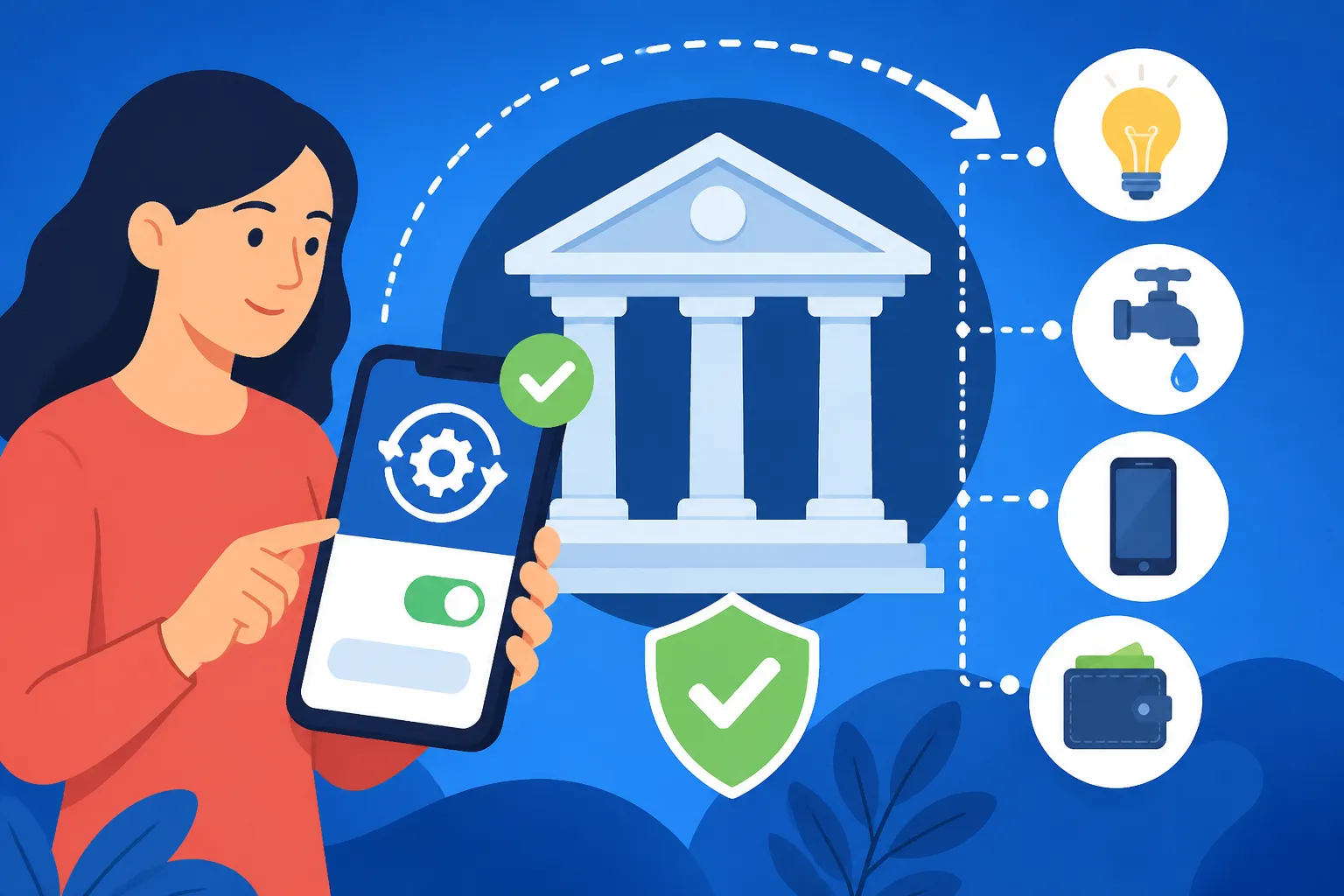
Imagine a life where your electricity, internet, phone, and even your monthly rent (if your landlord agrees) are paid automatically, without you lifting a finger. This isn't a pipe dream in Serbia anymore! Setting up automatic bill payments, primarily through a mechanism called trajni nalog (direct debit or standing order, though it functions more like a direct debit here), is a genuine game-changer. It takes away the stress of remembering due dates, dealing with paper slips, and wasting precious time in queues.
For us expats, this is particularly beneficial. We already juggle a lot – navigating a new culture, language, and administrative system. Automating recurring payments frees up mental space and time, allowing us to focus on the more enjoyable aspects of living in Serbia. It provides peace of mind, knowing that your essential services are always covered. Plus, it helps maintain a good financial record, which is crucial in any country. If you're managing various aspects of your life here, like perhaps understanding mandatory health insurance contributions in Serbia or even looking into your tax obligations, having your routine bills handled automatically is a massive relief.
Step-by-Step Guide to Setting Up Direct Debits (Trajni Nalog) at a Serbian Bank
Setting up automatic payments at a Serbian bank is generally straightforward once you know the ropes. The key is understanding the terminology and having the right documents ready. Most banks offer this service, and it's something I highly recommend inquiring about when you first open your bank account. If you haven't yet, you might want to look into how to open a bank account at a Serbian bank as a foreigner first.
Choosing Your Bank and Understanding Their Offerings
Not all banks are created equal, and their digital services and customer support for expats can vary. Major Serbian banks like Banca Intesa, Raiffeisen Banka, UniCredit Bank, OTP Banka, and NLB Komercijalna Banka are generally good choices, often having English-speaking staff and more robust online banking platforms. When you choose a bank, or even if you already have one, ask them specifically about "trajni nalog" or "automatska plaćanja računa" (automatic bill payments). Some banks might have slightly different names or processes, so it’s essential to clarify.
I’ve found that some banks, like Banca Intesa or Raiffeisen, have really invested in user-friendly online systems, which makes managing these payments a breeze. You'll want to choose a bank that offers a comprehensive online banking platform and preferably a mobile app that allows you to monitor and manage your trajni nalog easily. Don't be shy to compare what's on offer; understanding the difference between Serbian banks for foreigners can save you headaches later.
The Application Process: Documents and Bureaucracy
To set up a trajni nalog, you’ll typically need to visit your bank branch in person. While some initial inquiries can be made online or over the phone, the actual setup usually requires signing paperwork. Here's what you'll generally need:
- Your Personal Identification: Your passport and your Serbian residence permit (boravišna dozvola).
- Your Bank Account Details: The account from which the payments will be deducted.
- The Bill You Want to Automate: This is crucial. Bring a recent physical copy of the bill (e.g., your electricity bill from EPS, your Infostan bill, your internet bill). The bank will need the exact recipient details, account numbers, and reference numbers from this bill to correctly set up the direct debit. These details are often referred to as "šifra plaćanja" (payment code), "poziv na broj" (reference number), and "svrha uplate" (purpose of payment).
- Proof of Address: While not always explicitly asked for just for trajni nalog, it's always good to have, especially if it’s a new utility provider.
- A Filled-Out Application Form: The bank will provide this. It asks for your details, the payee's details, the amount limit (some allow you to set a maximum amount per payment, which is a good safety feature), and the frequency (usually monthly).
The bank staff will help you fill out the forms. Don't hesitate to ask them to explain anything unclear, especially regarding the maximum payment limit or how to cancel the trajni nalog if needed. It's much easier to clarify details during setup than to try and fix an issue later. Be prepared for a bit of waiting, as these processes aren't always lightning-fast.
What to Expect After Setup: Monitoring and Management
Once your trajni nalog is set up, it typically takes a billing cycle or two for it to kick in. For example, if you set it up in early June, your July bill might still need to be paid manually, but the August bill should be automated. Always double-check your first automated payment to ensure it went through correctly. You can usually do this through your online banking portal or mobile app.
Most banks will notify you via SMS or email when an automatic payment is processed, which is a great feature for peace of mind. You should also keep an eye on your bank statements. If you notice any discrepancies or problems, contact your bank immediately. Sometimes, if a bill changes drastically or there's an issue with the provider, the payment might fail, and you'll need to sort it out manually that month. This is where a little proactive checking saves a lot of hassle. Knowing how to set up online banking with a Serbian bank is key here, as it allows you to monitor everything from the comfort of your home.
Leveraging Online Banking and Mobile Apps for Bill Payments
Beyond the trajni nalog, Serbian banks have made significant strides in their digital offerings, making other forms of bill payments much more convenient. These tools are indispensable for managing your finances, especially if you're like me and prefer to do everything from your couch.
Navigating Serbian Online Banking Platforms
If you've spent any time here, you'll know that e-banking (e-bankarstvo) is widely available. Once you've successfully opened an account and registered for online services – which I highly recommend doing as soon as possible – you'll find a wealth of options at your fingertips. Most platforms are available in Serbian and English, which is a huge relief.
Through your online banking portal, you can view your account balance, transaction history, and even access e-statements. More importantly, you can make individual payments. This is fantastic for those one-off bills or if you prefer to retain manual control over specific payments. You just need the uplatnica details – the recipient's account number, reference number (poziv na broj), and purpose of payment (svrha uplate). Enter these into the payment fields, confirm the amount, and hit send. It's much faster than going to the post office and you get an instant digital record. Many banks also allow you to save frequently used payees, so paying your landlord or a regular service provider becomes a matter of a few clicks.
Setting Up Standing Orders (Nalog za Prenos) for Fixed Payments
While trajni nalog (direct debit) is for variable utility bills where the amount changes each month, a nalog za prenos (standing order) is perfect for fixed, recurring payments. Think rent, a loan repayment, or a regular transfer to a savings account.
Setting up a standing order is similar to setting up a direct debit. You'll specify:
- Recipient's Bank Account: The account where the money needs to go.
- Amount: A fixed amount to be transferred.
- Frequency: Weekly, bi-weekly, monthly, quarterly, etc.
- Start and End Date: Or simply "until further notice."
You can usually set these up directly through your online banking platform without needing to visit a branch. This is incredibly useful for rent payments, as it ensures your landlord gets paid on time every month without you having to remember to initiate the transfer. If you're wondering how much it costs to rent an apartment in Belgrade in 2026, automating your rent payment is one less thing to worry about.
Using QR Codes and "Slikaj i Plati" Features for Ad-Hoc Bills
This is one of my favorite modern conveniences in Serbian banking. Many banks now offer a "Slikaj i Plati" (Scan & Pay) feature within their mobile apps. All those uplatnice with QR codes? You can just point your phone camera at them, and the app automatically populates all the payment details – the recipient's account, reference numbers, purpose of payment, and even the amount. It's incredibly accurate and saves you from painstakingly typing in long strings of numbers.
This feature is brilliant for bills that don't lend themselves to direct debits, or for those months when you receive an unexpected bill. It turns a potentially tedious task into a quick, error-free process. Most major utility providers, including EPS, Infostan, and major telecom companies, now print QR codes on their payment slips, so you'll get plenty of use out of this. It’s an efficient way to pay your utility bills in Serbia and ensures accuracy every time.
Tips for Expats: Avoiding Pitfalls and Staying Organised
Even with the convenience of automation, navigating the Serbian financial system can have its quirks. Here are a few expat-specific tips to keep things running smoothly.
Language Barriers and Getting Assistance
While many banks offer English-speaking staff, especially in bigger cities like Belgrade or Novi Sad, don't assume everyone will be fluent. When setting up complex services like trajni nalog, try to go to a larger branch or call ahead to ensure an English speaker is available. Better yet, if you have a Serbian friend or colleague you trust, ask them to come with you. Their presence can make a huge difference in ensuring everything is understood and correctly set up.
When reviewing forms, if something is only in Serbian, use a translation app or ask the bank staff to explain each section. Never sign something you don't fully comprehend. It's also a good idea to keep a list of important Serbian banking terms handy, like trajni nalog, nalog za prenos, uplatnica, broj računa (account number), and poziv na broj (reference number). This little bit of preparation can go a long way in easing communication.
Managing Multiple Bills and Providers
Expats often have multiple bills – electricity, internet, mobile, building maintenance, perhaps even a local gym membership. It’s important to stay on top of all of them, whether automated or manual.
Here's a simple strategy:
- Categorise: Group your bills into 'automated' and 'manual'.
- Centralise: Use your bank's online platform or mobile app as your central hub for monitoring all payments.
- Spreadsheet/App: Create a simple spreadsheet or use a budgeting app to list all your recurring bills, their due dates, and whether they are automated. This helps you identify any that need manual attention each month.
- Notifications: Enable SMS/email notifications from your bank for all transactions. This way, you get an alert when an automated payment goes through, or if one fails.
This organised approach prevents anything from slipping through the cracks. It's also helpful if you're tracking your overall cost of living in Serbia for expats, as it gives you a clear overview of your regular expenditures.
Cross-Border Payments and International Transfers
Sometimes, you might need to transfer money from your home country to your Serbian bank account to cover bills, especially if your income source is abroad. Or perhaps you need to send money out of Serbia. Traditional bank transfers can be slow and expensive. This is where services like Wise (formerly TransferWise) come in handy. They offer competitive exchange rates and lower fees for international money transfers compared to conventional banks, making it much more efficient to move your funds around. If you're regularly funding your Serbian account from overseas to cover your local expenses, using a service like Wise can save you a significant amount over time. Similarly, if you're dealing with tax obligations, whether personal income tax or business taxes, you might find yourself needing to transfer funds across borders efficiently. You can learn more about How to Transfer Money Into and Out of Serbia as an Expat.
Consider the following table comparing payment methods:
| Feature | Manual Payment (Post Office/Teller) | Trajni Nalog (Direct Debit) | Online Banking / Mobile App (Individual Payments) |
|---|---|---|---|
| Convenience | Low (physical visit, queues) | High (set and forget) | High (from home/on the go) |
| Risk of Missed Payment | High (reliance on memory/time) | Low (automated) | Medium (requires manual initiation) |
| Time Savings | None | High | High |
| Accuracy | Medium (prone to manual errors) | High (bank sets up details) | High (if using Slikaj i Plati/saved payees) |
| Record Keeping | Physical receipts (paper) | Digital bank statements | Digital transaction history |
| Flexibility | High (pay any bill, any time) | Low (only specific, recurring bills) | High (pay any bill, any time) |
| Best For | One-off, cash-only payments | Recurring utility bills (variable amount) | Ad-hoc bills, fixed payments, saved payees |
By embracing the automation available at Serbian banks, you can dramatically reduce the time and stress associated with managing your household bills. It’s one of the simple yet profound ways to make your expat life in Serbia genuinely easier and more enjoyable. From your daily finances to your yearly tax filing with services like Taxes for Expats, every bit of efficiency helps.
Disclaimer
Please note that banking procedures and regulations in Serbia can change. While this guide is compiled with the most current information available and my personal experience, it is always advisable to confirm details directly with your chosen bank or the relevant financial institution. This content is for informational purposes only and does not constitute financial or legal advice.