How Do I File My Taxes Online in Serbia?
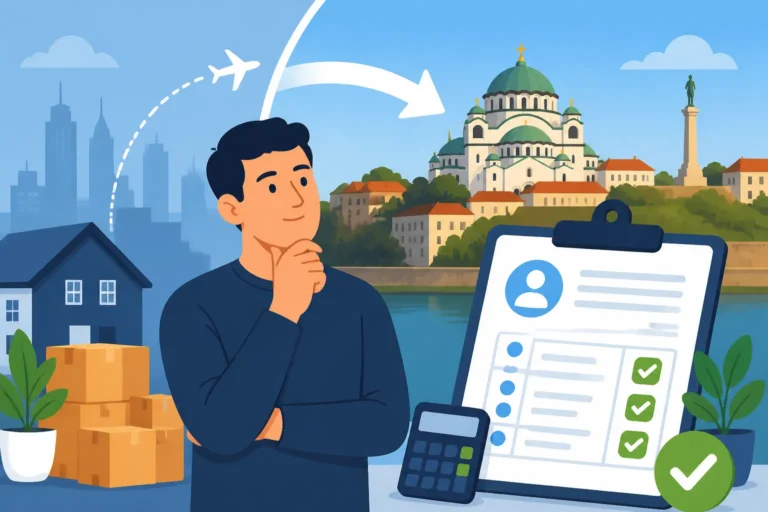
Let's be honest, dealing with taxes in a new country can feel like trying to solve a Rubik's Cube blindfolded, especially when the language and the system itself are entirely unfamiliar. For many of us expats here in Serbia, the idea of filing taxes often conjures images of long queues at the Poreska Uprava (Tax Administration), mountains of paperwork, and deciphering complex forms in Serbian. But what if I told you there's an increasingly digital way to handle your obligations? This guide will cut through the confusion and walk you through the process of how to file your taxes online in Serbia, helping you navigate the ePorezi portal with a bit more confidence.
The Digital Frontier: Understanding Serbia's ePorezi Portal
When I first moved here, the concept of online tax filing was a distant dream for foreigners. Everything felt like it required a physical stamp and a personal appearance. However, Serbia has made significant strides in modernizing its administrative services, and the ePorezi portal is a prime example of this evolution. It’s designed to simplify the process for both individuals and businesses, reducing the need for countless trips to government offices.
What is ePorezi and Why it Matters to You
The ePorezi (e-Taxes) portal is the official electronic service of the Serbian Tax Administration (Poreska Uprava). Think of it as your virtual window into your tax obligations and filings. Through this portal, you can submit various tax returns, monitor your tax status, review your past filings, and even manage certain aspects of your business if you're an entrepreneur. For us expats, particularly those working as preduzetnici (entrepreneurs) under the paušal (lump-sum) tax regime or those with more complex income streams, mastering ePorezi is no longer a luxury—it's quickly becoming a necessity. It’s a huge time-saver and, once you get the hang of it, far less intimidating than those in-person visits. It streamlines communication with the tax authorities, allowing you to react quickly to any notifications or requests, and helps ensure you stay compliant without getting lost in translation at a physical office. It’s part of the broader effort to digitalize public services, making life a bit easier for everyone, including us foreigners trying to make sense of the system.
Who Can Use ePorezi and What You Need to Get Started
Essentially, anyone who needs to interact with the Serbian Tax Administration can use ePorezi, provided they have the right tools. This includes employed individuals, entrepreneurs, and even companies. For expats, this primarily means those who are employed by a Serbian company (though your employer will usually handle most of your tax filings), or more commonly, freelancers and self-employed individuals who are registered here. If you’re a preduzetnik, for example, this portal is where you'll submit your monthly or quarterly returns, and communicate changes to your business status.
Before you can even think about logging in, you'll need a few critical items that might seem like a bit of a hurdle at first, but trust me, they're foundational for engaging with Serbian bureaucracy online:
- A Serbian Tax Identification Number (TIN/PIB): This is non-negotiable. If you don't have one, your journey begins with getting your Tax ID (PIB) as a Foreigner in Serbia. Without it, the system won't know who you are.
- An Electronic Digital Certificate (Qualified Electronic Signature): This is the cornerstone of online interaction. It's essentially your digital identity and signature. You can obtain this from one of Serbia’s certified certification authorities, such as the Post Office (Pošta Srbije) or Halcom. This isn't just for taxes; you'll use it for a lot of other online government services too.
- A Serbian ID Card (Lična Karta): While not strictly required for ePorezi if you have the digital certificate on an external USB token, having a Serbian ID card simplifies things immensely as it often contains the chip where your digital certificate is stored. If you don't have a Serbian ID, your digital certificate will likely be issued on a USB token, which you'll need to plug into your computer every time you use ePorezi.
- A Computer with Specific Software: You'll need a Windows operating system (it's less friendly with Mac, though workarounds sometimes exist) and to install specific drivers and applications for your digital certificate, as well as the necessary Java runtime environment. This can be the trickiest part, often requiring a bit of technical savvy or help from a local.
- Registered with the Tax Administration: Before you can file, you need to be registered with the Tax Administration (Poreska Uprava). This is usually done when you first register your business or employment.
The Initial Setup: Getting Your Digital Certificate and Access
This step is arguably the most challenging part for many expats, but once it’s done, you're set for years. The digital certificate is vital; it legally verifies your identity online.
Step 1: Choosing a Certification Authority
In Serbia, the most common places to get a digital certificate are:
- Pošta Srbije (Serbian Post Office): This is often the most accessible option. They have offices across the country, and the process is fairly well-documented.
- Halcom: A private company that also issues digital certificates, often preferred by businesses for its robust features.
Step 2: Gathering Documents for the Certificate
Regardless of where you go, you’ll typically need:
- Your passport (and sometimes a copy of your residence permit).
- Your Serbian Tax Identification Number (PIB).
- Your Serbian ID card (if you have one). If not, they will issue it on a USB token.
- The application form, which you can usually download from their website or get at the office.
Step 3: The Application Process
You'll visit the chosen authority, submit your documents, and complete the application. They will guide you through the process, which usually involves a brief interview and verification of your identity. Once approved, you'll receive your digital certificate, either embedded in your Serbian ID card (if it’s a newer, chip-enabled one) or on a dedicated USB token. You’ll also get a set of PINs and PUKs – keep these safe, they’re crucial!
Step 4: Installing Software and Drivers
This is where many people hit a snag. Once you have your certificate, you'll need to install the necessary drivers for your smart card reader (if using an ID card) or USB token, along with the specific middleware software provided by the certification authority. You’ll also need to ensure you have the correct version of Java installed on your computer. The instructions can be a bit cryptic, often only available in Serbian, so don't hesitate to ask for help from a Serbian-speaking friend or a local IT professional if you find yourself struggling. The Tax Administration portal itself, ePorezi, also has detailed technical instructions, usually under a "Help" or "Technical Support" section.
Once all the software is correctly installed and your digital certificate is recognized by your computer, you should be able to access the ePorezi portal and log in securely. It's a huge relief when that login page finally works!
A Step-by-Step Guide to Filing Your Taxes Online Through ePorezi
Alright, you’ve conquered the initial setup, you have your digital certificate, and you can log into ePorezi. Bravo! Now for the main event: actually filing your taxes. While specific forms will vary depending on your income source (e.g., whether you’re a paušalac, have rental income, or capital gains), the general process for submitting any tax return through the portal follows a similar pattern. This section will give you a broad overview, focusing on the common steps.
Preparing Your Documents for Online Submission
Even though it's an online system, the golden rule of tax season still applies: preparation is key. Before you even click on "New Application," gather all the information and documents you'll need to accurately complete your tax return. What you'll need will depend on the type of income you're reporting.
For Pausal Entrepreneurs (Paušalci):
If you're registered as a paušalac (a lump-sum taxed entrepreneur), your tax obligations are generally simpler. You don't usually file detailed income statements in the same way. Instead, your tax liability is predetermined by the Tax Administration based on your activity, location, and other factors. However, you'll use ePorezi to register changes in your business activity, submit annual financial reports (if applicable, depending on your bookkeeping method), and generally interact with the Poreska Uprava regarding your paušal status. You might also need to file certain forms like the PPPDV (for VAT, if you’re VAT registered, which most paušalci are not) or various notifications. Keep records of your monthly paušal payments, and any invoices you've issued or received.
For Individuals with Other Income (e.g., rental income, capital gains, foreign income):
This is where it gets a bit more involved. You might need to file an annual income tax return or specific forms for certain types of income.
- Proof of Income: Bank statements showing received payments, contracts (e.g., rental agreements), statements from brokers for capital gains, or foreign employer pay stubs.
- Expense Documentation: If you are eligible for any deductions, you'll need receipts or invoices to support these.
- Foreign Tax Documents: If you're declaring foreign income and want to claim a credit under a Double Taxation Agreement, you'll need proof of taxes paid in the foreign country.
- Your Serbian Bank Account Details: For payments and potentially refunds. If you're wondering how to manage your finances across borders, remember that services like Wise can be incredibly helpful for international money transfers, making it easier to receive foreign income into your Serbian bank account.
Make sure all figures are accurate and converted to Serbian Dinars (RSD) if necessary, using the official exchange rate on the date of transaction or as stipulated by tax regulations. Having everything neatly organized beforehand will save you immense headaches once you're in the portal.
Navigating the ePorezi Interface: A Walkthrough
Once you've logged in with your digital certificate, you'll be greeted by the ePorezi dashboard. The interface can look a bit busy, and many of the labels are in Serbian. Don't panic! Here’s a general path to follow:
- Select the Appropriate Form: On the left-hand menu or within the main dashboard, you'll see options for "Podnošenje prijava" (Submission of applications) or similar. Click on this, and then you'll need to select the specific form you wish to fill out. For example, if you're filing an annual income tax return for individuals, you'll look for something like "PPG-PD" or "Godisnja prijava poreza na dohodak građana". For an entrepreneur, it might be related to VAT (PDV) or specific business changes.
- Start a New Application: After selecting the form, choose the option to create a "Nova prijava" (New application).
- Fill in the Details: This is the core of the process. The form will open, often structured into several tabs or sections. You'll systematically input all the required data from your prepared documents.
- Personal Information: Many fields will pre-populate with your basic data (Name, PIB, address). Double-check these.
- Income Details: Carefully enter all your income sources, amounts, and any relevant dates.
- Deductions/Exemptions: If applicable, fill in any deductions or exemptions you are claiming.
- Tax Calculation: The system often performs automatic calculations based on your inputs, showing you the tax liability. This can be a great way to verify How Do I Calculate My Income Tax in Serbia?.
- Validate the Form: Most forms have a "Proveri" (Check/Validate) button. Click this frequently! It will highlight any errors or missing mandatory fields, preventing you from submitting an incomplete or incorrect form. This step is a lifesaver.
- Save Your Progress: Don’t forget to save your application as a draft ("Sačuvaj nacrt") as you go along. The system can time out, and losing your work is incredibly frustrating.
- Attach Supporting Documents (If Required): Some applications require you to attach scanned copies of supporting documents. Look for an "Prilozi" (Attachments) section. Ensure your documents are in the specified format (usually PDF) and within size limits.
- Generate the Tax Return: Once you're confident everything is correct and validated, you'll typically have an option to "Generiši prijavu" (Generate application). This creates the final, official version of your tax return.
The system is designed to guide you, but it's not always intuitive, especially with language barriers. Take your time, and if a field isn't clear, look for official guides (sometimes on the Poreska Uprava website) or seek clarification.
Submitting Your Tax Return and Payment Instructions
You're almost there! You've filled out the form, checked it, and generated the final version. Now it's time to send it off and understand how to make the payment.
- Digitally Sign and Submit: After generating the application, you'll find an option to "Potpiši i podnesi" (Sign and submit). Clicking this will prompt your digital certificate software to activate. You'll need to enter your PIN for the digital certificate to apply your electronic signature, which is legally binding. Once signed, the application is officially submitted to the Poreska Uprava.
- Confirmation and Reference Number: Upon successful submission, the system will immediately provide you with a confirmation message and a unique reference number (usually called "Broj prijave" or "ID broj"). SAVE THIS NUMBER. This is your proof of submission and is essential for tracking your application. You'll also usually receive a confirmation document in PDF format, which you should download and keep for your records.
- Payment Instructions: Crucially, the system will often generate a payment slip (nalog za uplatu) or clear instructions on how to pay the calculated tax. This will include:
- The recipient account number (typically a government account).
- The reference number (poziv na broj) which is specific to your filing and ensures your payment is correctly allocated.
- The amount due.
- The payment deadline.
Do not ignore these details. Incorrect payment information can lead to your payment not being recognized, potentially incurring penalties.
- Making the Payment: You'll typically make the payment through your Serbian bank. You can do this via online banking or by visiting a physical bank branch or post office. Make sure to accurately input all the details from the payment instructions provided by ePorezi, especially the poziv na broj. If you don’t yet have a bank account, our guide on How to Open a Bank Account at a Serbian Bank as a Foreigner can help you get started.
Remember, submitting your return online and making the payment are two separate, but equally important, steps. Both must be completed by the deadline to avoid penalties.
Common Hurdles and How to Overcome Them When Filing Online
Even with the best intentions and meticulous preparation, navigating online tax systems in a foreign country often comes with its unique set of challenges. ePorezi is no exception. From peculiar software requirements to deciphering legal jargon, expats often face specific frustrations.
Technical Glitches and Digital Certificate Woes
This is arguably the most common and exasperating hurdle for new users, especially those using Mac computers or unfamiliar with older Java-based applications.
- Operating System Compatibility: The ePorezi portal and the digital certificate software are primarily optimized for Windows. Mac users often report issues with drivers and browser compatibility. While some have managed to get it working with specific browsers (like Firefox) and Java configurations, it’s not a smooth ride. A common workaround is to use a virtual machine running Windows on your Mac, or simply find access to a Windows computer for tax filing purposes.
- Java Version Issues: The portal is often very particular about the Java Runtime Environment (JRE) version required. An outdated or too-new version can prevent the digital signature application from launching or functioning correctly. The solution usually involves uninstalling all Java versions and installing the exact one specified in the ePorezi technical instructions.
- Browser Compatibility: Sometimes the portal works best with specific browsers or requires certain security settings to be adjusted. If you’re having trouble, try a different browser (e.g., Firefox or Internet Explorer/Edge in compatibility mode) or check the portal’s technical support section for recommended browser settings.
- Digital Certificate Recognition: Your computer might not "see" your digital certificate. This is almost always a driver issue. Ensure all drivers for your smart card reader or USB token are correctly installed and up to date. Sometimes, simply restarting your computer after installation or trying a different USB port can resolve it.
- PIN/PUK Problems: Forgetting your PIN for the digital certificate is a nightmare, as repeatedly entering the wrong one can lock it, requiring a visit back to the issuing authority to unblock or reissue. Keep your PIN and PUK (Personal Unblocking Key) in a secure, memorable place.
Overcoming these issues: The best approach is to follow the technical instructions provided by the Poreska Uprava and your digital certificate issuer to the letter. If you’re still stuck, don’t try to guess. Reach out to the technical support lines (though they might only speak Serbian), or better yet, enlist the help of a local Serbian friend or an IT professional who understands these systems. Sometimes, a quick professional diagnostic can save hours of frustration.
Understanding Tax Forms and Avoiding Common Mistakes
Serbian tax forms, like those everywhere, can be complex. The language barrier only adds to the challenge.
- Language Barrier: The entire ePorezi interface, including all forms and instructions, is in Serbian. This is a significant hurdle. Have a reliable translation tool handy (like Google Translate’s document upload feature for PDFs, or an extension for live translation). Better yet, find a template or example of the form in English if one exists, or ask a Serbian speaker to sit with you.
- Incorrect Form Selection: Using the wrong form for your specific income or situation is a common mistake. Make sure you know exactly which form code (e.g., PPG-PD for annual income tax) applies to you.
- Misinterpreting Fields: Many fields have specific legal meanings that might not be obvious from a direct translation. For instance, understanding the difference between gross income, net income, and taxable income, or specific deductions, requires careful attention.
- Missing Deadlines: Missing tax filing and payment deadlines can result in fines and penalties. Serbia has strict deadlines. For example, the annual income tax return for individuals is typically due by May 15th for the previous calendar year. Always check the current year’s deadlines on the Poreska Uprava website.
- Errors in Calculation: While the system often auto-calculates, if your initial inputs are wrong, the final calculation will also be incorrect. Double-check all figures before inputting them. If you’re handling foreign income, ensure you’re using the correct exchange rates as specified by the tax law.
Tips for avoidance: Don’t rush the process. If you’re unsure about a field, leave it blank, save as a draft, and seek clarification. Consulting with a local accountant who specializes in expat taxation can save you from costly errors down the line.
When to Seek Professional Help (And Where to Find It)
While this guide aims to empower you to file online, there are times when professional help is not just advisable, but essential. Navigating The Complete Guide to Taxes in Serbia for Expats (2027) can be overwhelming, and a professional can provide tailored advice.
- Complex Income Situations: If you have multiple income streams (e.g., salary, freelance income, rental income from abroad, capital gains), or if you are claiming benefits from double taxation agreements, your situation might be too complex for a DIY approach.
- Tax Residency Questions: Determining your tax residency in Serbia can be tricky, especially if you spend time in multiple countries or work remotely. A tax advisor can help you understand the Tax Residency in Serbia: A Definitive Guide for Expats (2027) and ensure you're filing correctly based on your status.
- Business Owners/Entrepreneurs: If you run a business or are registered as a preduzetnik, especially if you're looking to transition from the paušal regime or deal with VAT, an accountant is invaluable. They can ensure proper bookkeeping, compliance with Serbian accounting standards, and optimal tax planning.
- Language Barrier is Insurmountable: If the language barrier is preventing you from understanding the forms and instructions, a professional fluent in both English and Serbian can bridge that gap.
- Time Constraints: Tax season can be busy. If you don't have the time or patience to learn the system and meticulously prepare, outsourcing to a professional can be a worthwhile investment.
Where to find help:
- Accountants specializing in Expats: Look for accounting firms in Belgrade, Novi Sad, or other expat-heavy areas that explicitly advertise services for foreigners or international clients. Many firms have English-speaking staff. They often have experience with international income, double taxation agreements, and the specifics of the ePorezi system.
- Online Tax Services: Some international platforms, like Taxes for Expats, offer services tailored to individuals with foreign income and can help you understand your obligations in Serbia, even if they don't directly file via ePorezi for local taxes, they can advise on the Serbian implications of your global tax situation.
- Expat Networks: Ask for recommendations in expat groups on social media (Facebook groups for "Expats in Belgrade" or "Digital Nomads Serbia" are great resources). Word-of-mouth is often the best way to find reliable professionals.
A table outlining some general costs you might encounter could be helpful:
| Service/Item | Estimated Cost (RSD) | Notes |
|---|---|---|
| Digital Certificate (Pošta Srbije) | 1,500 – 3,000 RSD (annual) | Varies based on validity period (1, 2, or 3 years). USB token might be extra. |
| USB Smart Card Reader (if not using ID) | 1,000 – 2,500 RSD | One-time purchase, often available at electronics stores. |
| Accountant for Annual Tax Filing (Simple) | 5,000 – 15,000+ RSD | For a straightforward individual income tax return. Complex cases with foreign income will be significantly higher. |
| Accountant for Pausal Entrepreneur | 8,000 – 15,000+ RSD/month | Includes monthly bookkeeping, advice, and liaison with tax authorities. Many expats find this essential. |
| Penalty for Late Filing | Varies (starts from 5,000 RSD) | Depends on the type of return and duration of delay. Can escalate. |
| Penalty for Incorrect Filing | Varies (starts from 10,000 RSD) | Can be significantly higher depending on the severity of the error and resulting underpayment. |
(Please note: Costs are estimates and can vary significantly based on the firm, the complexity of your situation, and current market rates.)
Filing taxes in a foreign country is never a walk in the park, but with the ePorezi portal, Serbia is making efforts to simplify the process. By understanding the requirements, meticulously preparing your documents, and not being afraid to ask for professional help when needed, you can navigate the system successfully and avoid unnecessary stress and penalties.
Disclaimer
The information provided in this guide is for general informational purposes only and does not constitute professional tax, legal, or financial advice. Tax laws and regulations in Serbia can change frequently and may vary depending on individual circumstances. It is highly recommended to consult with a qualified Serbian tax advisor or accountant to obtain advice tailored to your specific situation before making any tax-related decisions. The author and publisher are not responsible for any actions taken based on the information presented herein.